Skip to content
Menu
New Maria New Maria

Meets Fashion, Style, Travel and Creativity

  • Travel Guide
    • Travel SIM Card
    • Budget Shopping in Manila 2026
    • Getaway and Shopping
    • Food Lovers
    • Events, Concerts and Festivals
    • Coupon Codes
    • Digital Downloads
  • How-To Guide
  • Home Decor
  • Fashion
    • 2026 Fashion Week Schedule
  • Beauty
  • Wedding
    • Wedding Planning
    • Wedding Requirements in the Philippines (Catholic Church)
New Maria New Maria

Meets Fashion, Style, Travel and Creativity

  • Makeup-Collection: Essential Beginner Beauty Set
  • Pastel Stickers Easter Clip Art Bundle
  • Guide: Wedding Planning
Holy Week Travel
  • Try Kittl for free. Experiment, learn, and create professional-quality designs.
Vlog Guide: How to Convert Video to MP4

Vlog Guide: How to Convert Video to MP4

By lizflores on October 24, 2023

Converting a video to MP4 format is a straightforward process, and you can do it using various software tools and online converters. Here’s a general step-by-step guide to help you convert a video to MP4:

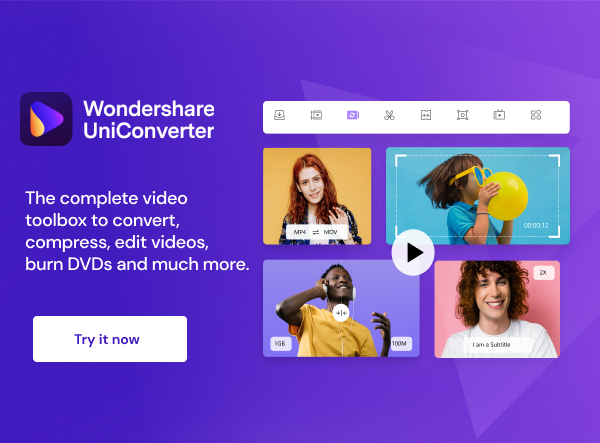
The complete video toolbox to convert, compress, edit videos, burn DVDs and much more.

Choose a Video Converter:

  • Desktop Software: You can use dedicated video converter software such as HandBrake, VLC Media Player, Any Video Converter, or Freemake Video Converter. Download and install the software of your choice.
  • Online Converter: There are numerous online video converters available. Some popular options include Online Video Converter, Convertio, and Clipchamp.

Add the Video File:

  • Desktop Software: Open the video converter program and import the video you want to convert by clicking the “Add” or “Import” button.
  • Online Converter:  Visit the online converter’s website and upload your video by clicking the “Upload” or “Choose File” button.

Wondershare Filmora – Your Freedom to Creativity.

Select Output Format (MP4):

  • In most cases, you’ll need to specify the output format as MP4. This option is typically available in a drop-down menu or as a format selection button.

Choose Output Location:

  • Specify the folder or location where you want to save the converted MP4 file.

Start the Conversion:

  • Click the “Convert” or “Start” button to begin the conversion process.

Wait for Conversion:

  • The time it takes to convert the video to MP4 depends on the video’s length and your computer’s processing power. Be patient while the conversion process completes.

Save the MP4 File:

  • Once the conversion is finished, the software or online converter should provide you with a link to download the converted MP4 file or allow you to save it to a location on your computer.

WONDERSHARE TECHNOLOGY CO., LIMITED
Remember that the exact steps may vary slightly depending on the video converter you choose, but the general process outlined above is applicable to most video conversion tools. Additionally, be aware of copyright and licensing issues when converting videos to ensure you have the legal right to do so.

Post Views: 136
Category: Business Entrepreneurship, Gifts

Post navigation

Gift To You 40% Off
Best Font for Website 2023

Related Posts

Makeup Favorites 2024

Makeup Favorites 2024

December 11, 2024
Read More
HRHSHOP Mobile Phone Chest Strap Mount GoPro Chest Harness Holder for VLOG/POV Chest Mount for cell

HRHSHOP Mobile Phone Chest Strap Mount GoPro Chest Harness Holder for VLOG/POV Chest Mount for cell

October 12, 2025
Read More
UNlQLO Fashion Sling Bags for Women Crossbody Bag Ins Shoulder Messenger Handbag Simple Style Hobo

UNlQLO Fashion Sling Bags for Women Crossbody Bag Ins Shoulder Messenger Handbag Simple Style Hobo

September 24, 2024
Read More

Leave a Reply Cancel reply

Your email address will not be published. Required fields are marked *

Destination Wedding

Look Style

Recent Blogs

  • Summer Woman with Camera Sticker
  • Boracay: Summer Sunset Cruise with Water Activities
  • Kyoto Arashiyama Fushimi Inari and Nara Deer Day Tour
  • Essential Beginner Beauty Set
  • Everyday Tasks and Planner
  • Baseus E19 True Wireless Earbuds TWS Bluetooth 5.3 with IPX5 Waterproof 33h Music Time Call ENC
  • Japan Cherry Blossom Spring Sale 2026
  • Abstract Shapes and Motivational Quotes For Work
  • Budget Shopping in Manila 2026
  • Asia’s 6th Best Beach in TripAdvisor’s 2026: Boracay’s White Beach
  • Pastel Colorful Couple Work At Home Sticker
  • Easter Stickers for Kids
  • Siargao Tour 2026
  • Gifts for Her: Fashion Girl Outfit Work and Everyday Casual Clipart
  • Pastel Boho Chic Guitar Sticker
  • Premium Tri-Island Tour in Siargao
  • Wedding Style
  • Travel Perfect Harmony Mouse Pad
  • Cup Love Sticker
  • Valentine’s Day Gifts: Joy and Calm Doodle Art Style Sticker
  • Winter Cozy Pastel Couple Clipart
  • Chinese New Year in Manila 2026 and Where To Go
  • Pastel Relax Vday Couple Clipart
  • Pastel Couple Valentines Day Clipart PNG
  • VDay: Love Pack. Valentine’s Day Toolkit
©2026 New Maria | WordPress Theme by Superb WordPress Themes   Design: LizFloresPH   About